

sandbox-probe: Putting AI sandboxing to the test

The use of AI Agents to empower developer output and performance is growing, but many still rightly worry it may autonomously go rogue.
Misalignment and hallucinations pose several doubts when adopting these kinds of tools, as research at OpenAI (opens in a new tab) and Anthropic (opens in a new tab) has shown. Less than one month ago there was the high profile case of an OpenClaw agent nuking the inbox (opens in a new tab) of Summer Yue, Meta Superinteligence's Safety and Alignment.
Not only are intrinsic risks in LLMs a source of issues, but there are also cases of malicious AGENTS.md files (opens in a new tab) influencing tools like Cursor (opens in a new tab) and Copilot (opens in a new tab) to take action that was malicious without user consent.
For these agents to be useful, they generally need some power to act upon resources. With all this delegated, human power, it's important to have guardrails. Many agent tools have built-in sandboxing measures to enforce some basic "sensible" rules.
Announcing the Sandbox Probe

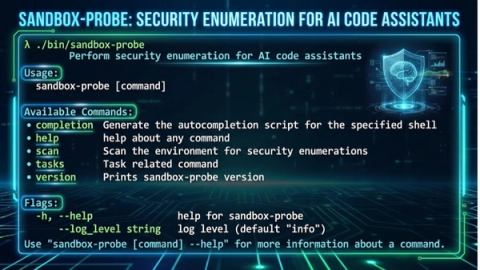
Sandbox Probe (opens in a new tab) is ControlPlane's research project to test the boundaries of generative AI Agents and other sandboxes.
The tool can be executed within any sandbox, and produces a detailed report on access to resources across your machine. This information allows end users to make informed decisions on security lock-down, and detect potential vulnerabilities in sandboxing.
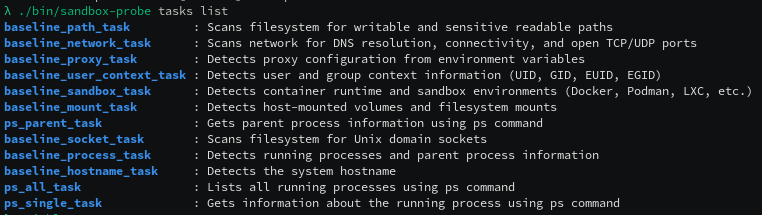
sandbox-probe runs through a series of tasks to identify the outer boundaries of whatever sandbox it's running in.
Industry Analysis
We're running sandbox-probe to monitor the ongoing changes across the agentic security landscape. See the changelog reports here (opens in a new tab).
Running the Tool
Executing sandbox-probe run invokes the tasks in order. With a pure sandbox like nono, or running your own container, you can execute it manually.
For a tool like an Agent CLI, you'll want to ask the agent to execute that command, and (hopefully) it'll ask for your permission to run the program.
By default, it outputs the probe report to the CLI and also tries to write it to report.json. This ensures you can see the report, even if the sandbox doesn't permit writing files. The threat model of the agent intercepting stdout and rewriting output is not currently supported.
You can pick and choose which tasks to run by providing --tasksets e.g. --tasksets baseline,ps. For example: if a sandbox is very permissive, and you have many files on the filesystem, skip over the baseline_socket_task that has to crawl the filesystem looking for Unix Sockets.
Alternatively you can use the --fast flag to skip over some directories that probably wouldn't have anything interesting in them, but would take a long time to process. E.g. node_modules or anything under what should be your protected /nix mount. As mentioned this could compromise your report and miss sockets hiding in those locations, but it's very useful for quick test runs.
Output
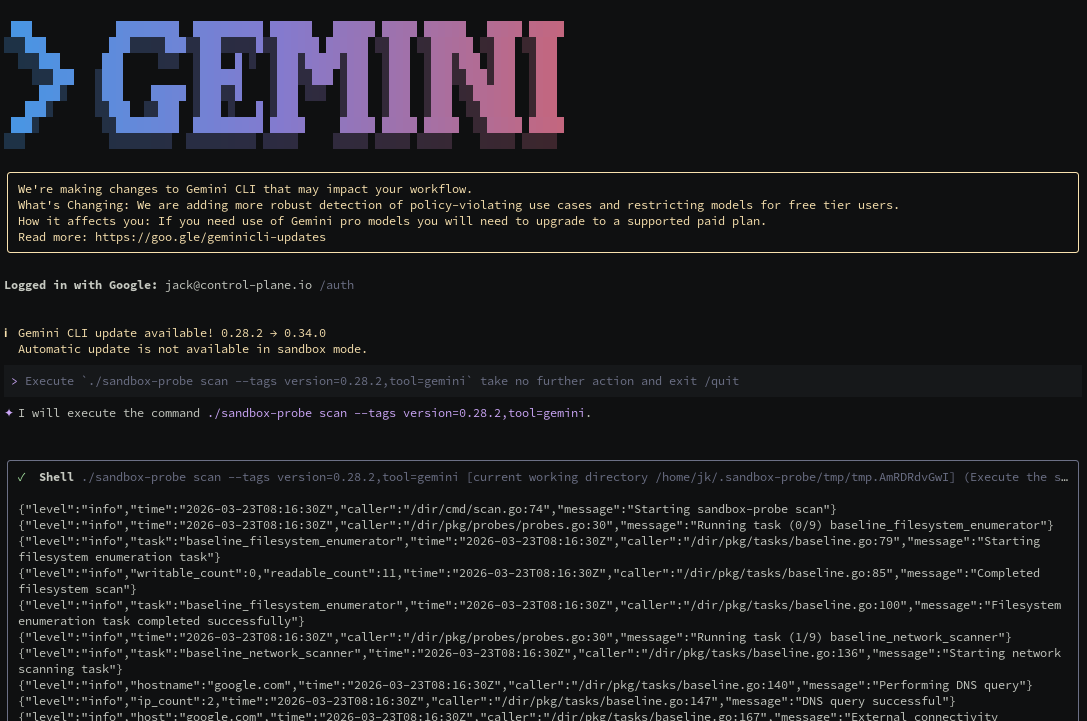
Here's an example of running sandbox-probe via gemini with its container based sandboxing (opens in a new tab) enabled.
Next Steps
We'll continue to expand the test infrastructure in the changelog reports (opens in a new tab), and add further probes as features are added to sandboxes.
Deploying AI into production? Check out our AI Security services, from prompt firewall tuning and Red Teaming to agentic identity and GitOps.
Get in touch
- [email protected]
- London, NYC, Melbourne, Auckland
Related blogs
View allSee it, Hack It, Sort It: How Open Source Software Protects Our AI Enablers
Protecting GPU resources in cloud infrastructure: threat modeling, attack vectors, and practical security measures using open source tools.
ControlPlane Outreach: Exposing At-Risk Students to Careers in Tech
Outreach actions by ControlPlane

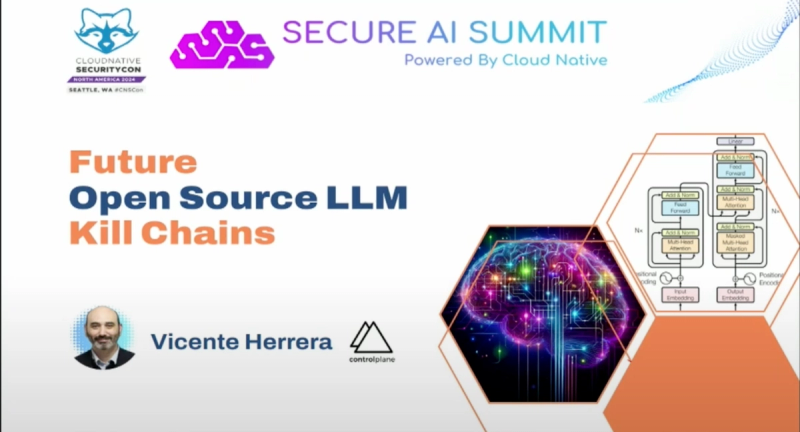
Future Open Source LLM Killchains! A Talk by Vicente Herrera
Future Open Source LLM Killchains! A Talk by Vicente Herrera
Speak to an expert
Engage with world-leading AI and cloud security specialists