

Play the 2023 CNCF CTF Scenarios with the Revamped Simulator

- Revamped Simulator
- Getting Started
- Downloading and Validating the Simulator Binary
- Installing the Prerequisites
- Creating Simulator Infrastructure and Installing Scenarios
- Playing the Scenario and Tear Down
- 2023 CNCF Scenarios
- Do you want more?
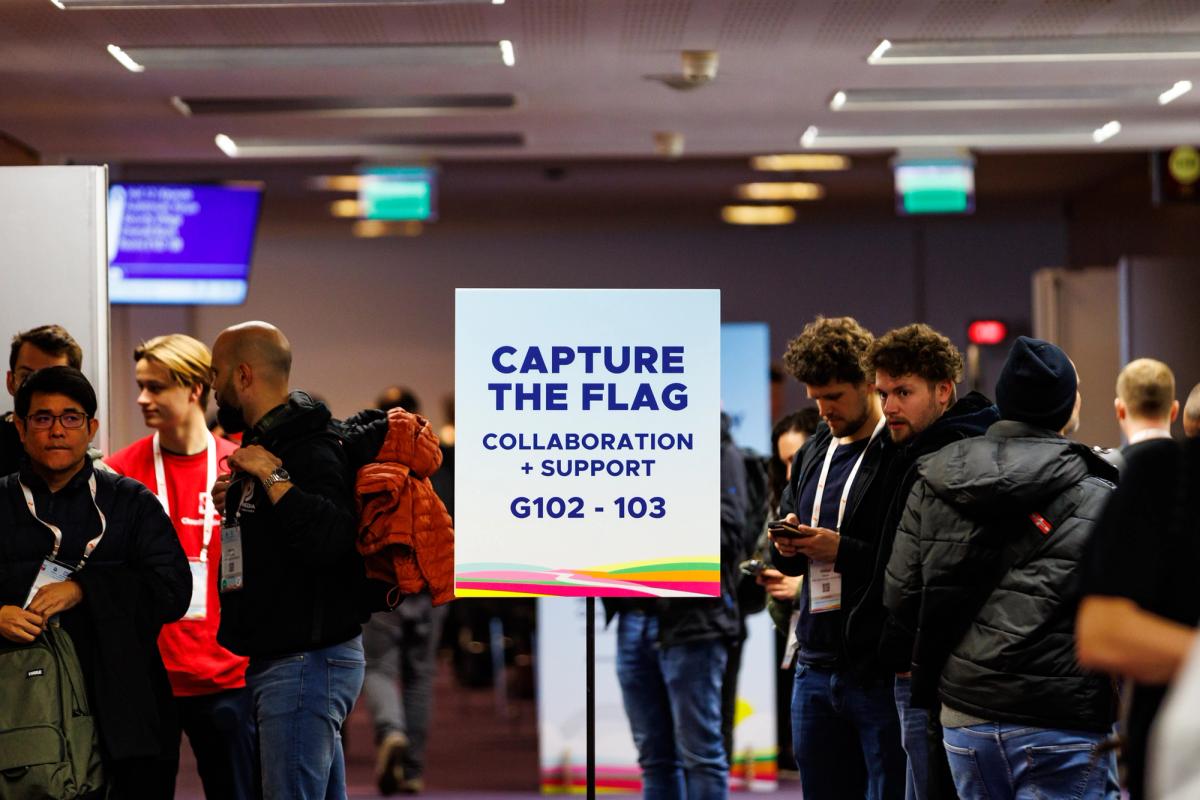
Over the past year we've had a lot of interest and participation in the Capture the Flag (CTF) events at KubeCon + CloudNativeCon. We've worked hard to bring the community interesting and challenging scenarios which test participants' knowledge of Kubernetes, containers and CI/CD infrastructure. We are excited to announce that we are releasing the scenarios from the 2023 CNCF CTF events for everyone to play! In this blog post, we'll walk you through the revamped simulator and how to get started with the CTF scenarios.
Revamped Simulator
It has been a while since significant updates have been pushed to simulator (opens in a new tab) but as part of releasing the 2023 CNCF CTF scenarios, we have re-architected the design to improve the user experience and make it easier to pick up and play. Essentially simulator is now a single binary that can be run locally to set up and configure an environment for you to play in, the only prerequisites you need is Docker and an AWS account.
Getting Started
Downloading and Validating the Simulator Binary
To get started, first download the latest release (opens in a new tab) and choose the binary for your operating system. Once downloaded as always validate the checksum to ensure the integrity of the binary.
$ sha256sum simulator_v2.0.0_linux_amd64.tar.gz
224e07556f749302283c33b43e14d80058ebc82cb36adeb9ddc6accc320e6928  simulator_v2.0.0_linux_amd64.tar.gz

$ grep -w "simulator_v2.0.0_linux_amd64.tar.gz" ~/Downloads/checksums.txt
224e07556f749302283c33b43e14d80058ebc82cb36adeb9ddc6accc320e6928  simulator_v2.0.0_linux_amd64.tar.gz
5a60e19e6dc84145eb2d270b547830826b42f52bb22f213dfec33634bafabdda  simulator_v2.0.0_linux_amd64.tar.gz.sbom
There is an SBOM included if you want to review the dependencies of the binary.
Unpack the binary based on the operating system you are using. In this instance we are using Linux so we will unpack the binary with tar.
$ tar xvf simulator_v2.0.0-alpha1_linux_amd64.tar.gz
LICENSE
simulator
Installing the Prerequisites
Next, we'll need to configure the prerequisites for the simulator. If you do not have docker installed, you can follow the instructions (opens in a new tab). Once docker is installed, you'll need to configure your AWS credentials. Simulator requires an IAM role with specific permissions (opens in a new tab) to be configured to setup the necessary resources in AWS and supports environment variables (opens in a new tab) or a shared credentials file (opens in a new tab) for authentication.
With the AWS Role assumed, we can start using simulator. You can see the options for simulator by using the --help flag.
$ simulator --help
Simulator CLI

Usage:
  simulator [command]

Available Commands:
  ami         Manage the Simulator AMIs
  bucket      Manage the bucket used to store the Terraform state
  completion  Generate the autocompletion script for the specified shell
  config      Configure the Simulator CLI
  container   Manage Simulator Container images
  help        Help about any command
  infra       Manage the Simulator infrastructure
  scenario    Manage the simulator scenarios
  version     Display the version information

Flags:
  -h, --help               help for simulator
      --log-level string   Log level (error, warn, info, debug) (default "error")

Use "simulator [command] --help" for more information about a command.
The first step to using simulator is to configure the S3 bucket where the Terraform state will be stored. This can be achieved by running the following command.
$ simulator config --bucket <name>Next we'll create the bucket in AWS, pull the simulator container image (used for configuration of infrastructure and scenarios) and create the two AMIs in your AWS account required for the Kubernetes Nodes.
$ simulator bucket create$ simulator container pull
{"status":"Pulling from controlplane/simulator","id":"latest"}
{"status":"Pulling fs layer","progressDetail":{},"id":"767829bcf202"}
...
{"status":"Pull complete","progressDetail":{},"id":"5fd5bd115d6c"}
{"status":"Digest: sha256:900c0b6b2cd75351ce252861bad3ce0c006282ff33391f7f60c39ec19b41d44a"}
{"status":"Status: Downloaded newer image for controlplane/simulator:latest"}$ for i in bastion k8s; do simulator ami build $i; done
Installed plugin github.com/hashicorp/amazon v1.2.9 in "/root/.config/packer/plugins/github.com/hashicorp/amazon/packer-plugin-amazon_v1.2.9_x5.0_linux_amd64"
simulator-bastion.amazon-ebs.ubuntu: output will be in this color.
==> simulator-bastion.amazon-ebs.ubuntu: Prevalidating any provided VPC information
==> simulator-bastion.amazon-ebs.ubuntu: Prevalidating AMI Name: simulator-bastion-1.28-20240104145119
simulator-bastion.amazon-ebs.ubuntu: Found Image ID: ami-0c12758cca12762cd
==> simulator-bastion.amazon-ebs.ubuntu: Creating temporary keypair: packer_6596c5e7-98ef-470c-57ac-377aa783e77e
==> simulator-bastion.amazon-ebs.ubuntu: Creating temporary security group for this instance: packer_6596c5e9-cb93-775e-e794-2e4bcbcb7884
==> simulator-bastion.amazon-ebs.ubuntu: Authorizing access to port 22 from [0.0.0.0/0] in the temporary security groups...
==> simulator-bastion.amazon-ebs.ubuntu: Launching a source AWS instance...
...
==> simulator-k8s.amazon-ebs.ubuntu: Deleting temporary security group...
==> simulator-k8s.amazon-ebs.ubuntu: Deleting temporary keypair...
Build 'simulator-k8s.amazon-ebs.ubuntu' finished after 4 minutes 23 seconds.
==> Wait completed after 4 minutes 23 seconds
==> Builds finished. The artifacts of successful builds are:
--> simulator-k8s.amazon-ebs.ubuntu: AMIs were created:
eu-west-2: ami-02e594da8a989cbe6The AMI build process can take a while to complete, so grab your preferred beverage and come back in approximately 10 minutes.
Creating Simulator Infrastructure and Installing Scenarios
We are all set to configure the simulator infrastructure (Kubernetes cluster and supporting hosts) which can be done with the following command:
$ simulator infra create

Initializing the backend...

Successfully configured the backend "s3"! Terraform will automatically
use this backend unless the backend configuration changes.
Initializing modules...
...
null_resource.kubeadm_init (local-exec): bastion                    : ok=3    changed=3    unreachable=0    failed=0    skipped=4    rescued=0    ignored=0
null_resource.kubeadm_init (local-exec): internal-1                 : ok=0    changed=0    unreachable=0    failed=0    skipped=6    rescued=0    ignored=0
null_resource.kubeadm_init (local-exec): master-1                   : ok=3    changed=3    unreachable=0    failed=0    skipped=3    rescued=0    ignored=0
null_resource.kubeadm_init (local-exec): node-1                     : ok=1    changed=1    unreachable=0    failed=0    skipped=5    rescued=0    ignored=0
null_resource.kubeadm_init (local-exec): node-2                     : ok=1    changed=1    unreachable=0    failed=0    skipped=5    rescued=0    ignored=0

null_resource.kubeadm_init: Creation complete after 39s [id=4643718659268881557]

Apply complete! Resources: 37 added, 0 changed, 0 destroyed.
Excellent, we can now configure simulator with a scenario.
$ simulator scenario install commandeer-container

PLAY [Commandeer Container] ****************************************************

TASK [Gathering Facts] *********************************************************
ok: [bastion]

TASK [Install calico network] **************************************************

TASK [cluster-network : Download calico manifests] *****************************
changed: [bastion]
...
PLAY RECAP *********************************************************************
bastion                    : ok=8    changed=6    unreachable=0    failed=0    skipped=2    rescued=0    ignored=0
Playing the Scenario and Tear Down
Once the scenario installation is completed, a player bundle is created allowing you to SSH into the starting point. Depending on your operating system or configuration, it will be in either $HOME/.simulator/player or $SIMULATOR_DIR/player.
If you want to know where the configuration is stored, you can use the --print-dir flag with the config command.
$ simulator config --print-dir
/home/simulator-demo/.config/simulator
You can SSH into the starting point via the following command:
$ ssh -F simulator_config bastion
                            _.--.
                        _.-'_:-'||
                    _.-'_.-::::'||
               _.-:'_.-::::::'  ||
             .'`-.-:::::::'     ||
            /.'`;|:::::::'      ||_
           ||   ||::::::'     _.;._'-._
           ||   ||:::::'  _.-!oo @.!-._'-.
           \'.  ||:::::.-!()oo @!()@.-'_.|
            '.'-;|:.-'.&$@.& ()$%-'o.'\U||
              `>'-.!@%()@'@_%-'_.-o _.|'||
               ||-._'[email protected]'_.-' _.-o  |'||
               ||=[ '-._.-\U/.-'    o |'||
               || '-.]=|| |'|      o  |'||
               ||      || |'|        _| ';
               ||      || |'|    _.-'_.-'
               |'-._   || |'|_.-'_.-'
                '-._'-.|| |' `_.-'
                    '-.||_/.-'

Welcome to Captain Hλ$ħ𝔍Ⱥ¢k's Booty Camp!

There is treasure to be had to those who can smuggle aboard and find the map.

It's time to show Dread Pirate what you've learnt about Kubernetes.
#
Now the fun begins! You can start exploring the environment and solving the challenges.
If you get stuck, there are walkthroughs (opens in a new tab) available for each scenario but we highly encourage you to try and solve it by yourself first.
Once you are finished be sure to clean up your environment to prevent any unnecessary charges.
simulator infra destroy

Initializing the backend...

Successfully configured the backend "s3"! Terraform will automatically
use this backend unless the backend configuration changes.
...
module.network.aws_vpc.network: Destroying... [id=vpc-0af5015bffabc4ff6]
module.network.aws_vpc.network: Destruction complete after 1s

Apply complete! Resources: 0 added, 0 changed, 37 destroyed.
If you no longer want to play any further scenarios, remember to remove the AMIs and the bucket to reduce your AWS bill.
2023 CNCF Scenarios
So what scenarios can I play?
Well we have included the 9 scenarios used at CloudNativeSecurityCon North America (Seattle, Washington), KubeCon + CloudNativeCon Europe (Amsterdam, The Netherlands) and KubeCon + CloudNativeCon North America (Chicago, Illinois) in 2023.
The list of scenarios are:
The scenarios range from beginners looking to learn more about Kubernetes and container security to more advanced scenarios for those looking to test their skills. We hope you enjoy playing them as much as we enjoyed creating them.
Do you want more?
But what if you don't want to use your own infrastructure? What if you want to try other challenging scenarios?
Well we have you covered! ControlPlane is building a hosted version of simulator that will allow you to play current and new scenarios without having to configure your own infrastructure.
Interested? Please register at kubesim.io (opens in a new tab)
Get in touch
- [email protected]
- London, NYC, Melbourne, Auckland
Related blogs
View allInternal ≠ Isolated (Or Secure): The Argo CD Repo-Server Flaw
An unpatched, unauthenticated RCE in the Argo CD repo-server that can chain into full Kubernetes cluster takeover.
sandbox-probe: Putting AI sandboxing to the test
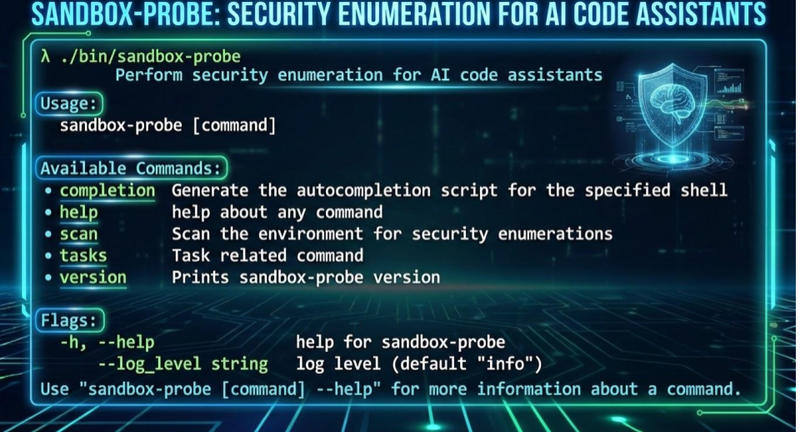
Announcing ControlPlane's sandbox-probe: testing the limits of AI Agent Sandboxes
ControlPlane Launches Enterprise Support For OpenBao To Strengthen Secrets Security
ControlPlane Launches Enterprise Support for OpenBao.

Speak to an expert
Engage with world-leading AI and cloud security specialists